





Requirements

To follow this setup, it is required to have following …
•
No Requirements
Reset [git reset]
In the first three forms, copy entries from <tree-ish> to the index. In the last form, set the current branch head (HEAD) to <commit>, optionally modifying index and working tree to match. The <tree-ish>/<commit> defaults to HEAD in all forms.
Synopsis [git reset --<synopsis>]
git reset [-q] [<tree-ish>] [--] <pathspec>…
git reset [-q] [--pathspec-from-file=<file> [--pathspec-file-nul]] [<tree-ish>]
git reset (--patch | -p) [<tree-ish>] [--] [<pathspec>…]
git reset [--soft | --mixed [-N] | --hard | --merge | --keep] [-q] [<commit>]
YAML
복사
SourceTree
1.
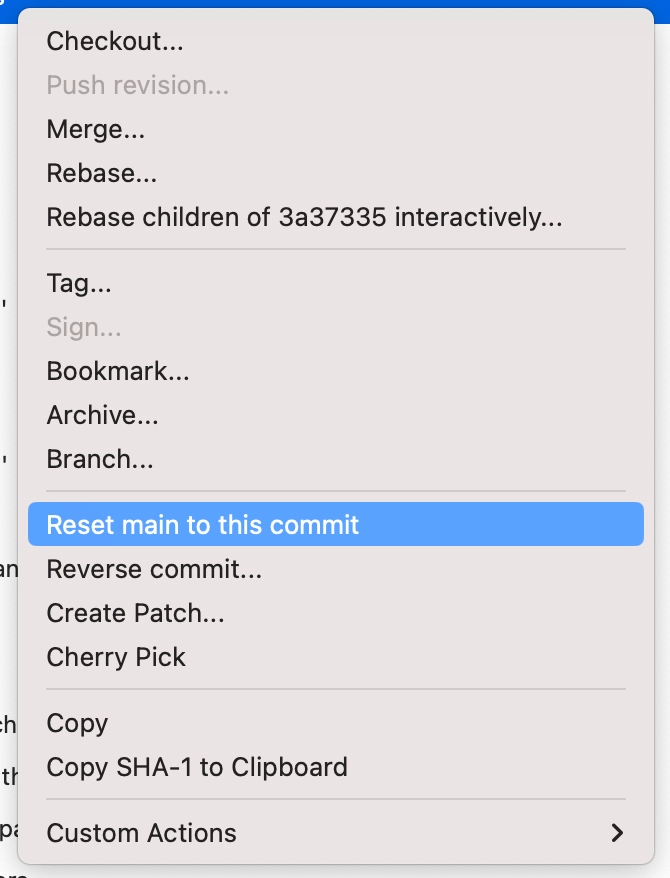
Right click on the desired commit
2.
Click Reset main to this commit
3.
Select the desired type

Commonly Used Commands
•
Reset to the latest commit
◦
git reset --hard
•
Reset to the certain commit
◦
git reset --hard <commit hash>
