


Problem [Add Reformat Shortcut]
Adding shortcuts for IDE helps developers to focus on writing and refactoring codes to produce easy-to-read codes, consistent code styles, and maintainable codes.
Solution 2 [ln: jre: operation not permitted]
If Solution 1 returns an error message of Error , try…
1.
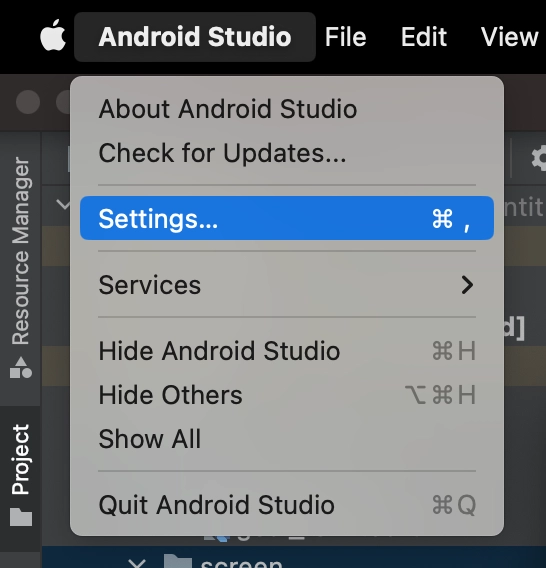
Open Android Studio Settings
2.
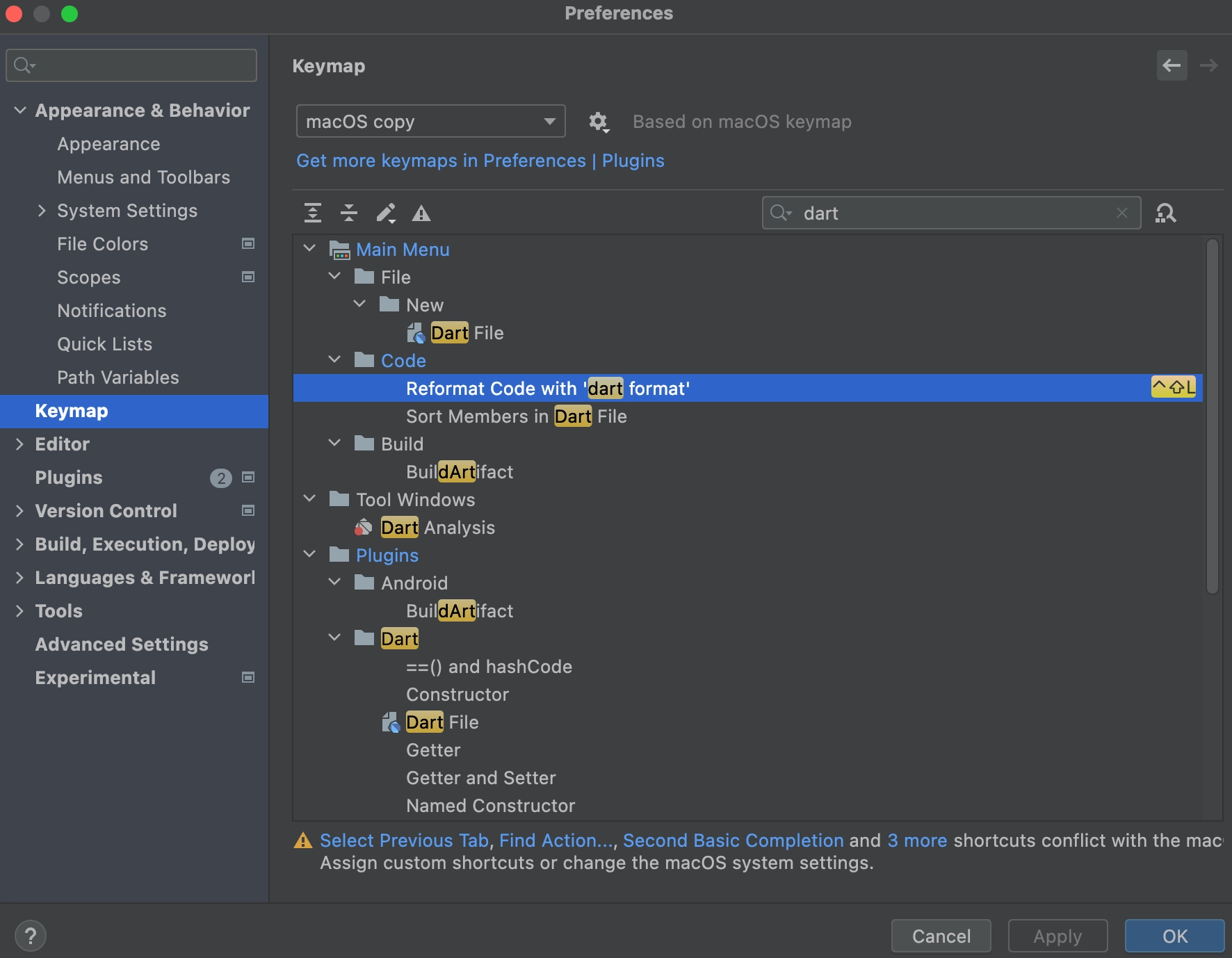
Click Keymap from sidebar
3.
Search dart
4.
Double click on Reformat Code with 'dart format'
a.
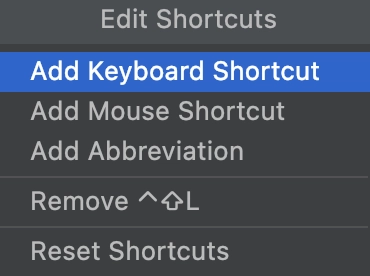
Click Add Keyboard Shortcut
5.
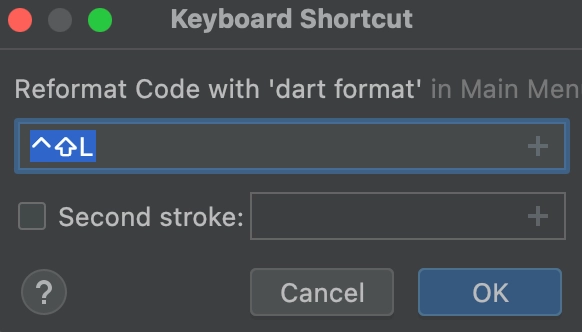
Press the keyboard shortcut (e.g. ctrl + shift + L)
a.
Then click OK
6.
Click Apply, then OK

