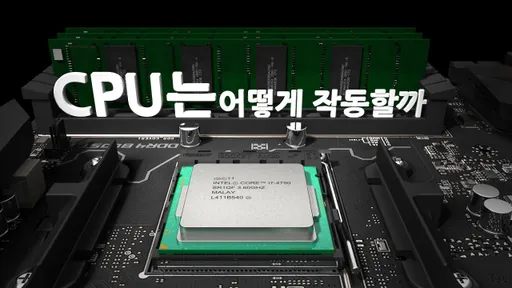
A processor, CPU, and microprocessor, all refers to the same thing. CPU is the primary component of a computer that acts as its “control center.”
CPU Manufacturers
Performance affecting factors
Functions of CPU
•
Logic Operations
•
Control Operations
•
Arithmetic Operations
•
I/O Operations
Components of CPU
•
Arithmetic and Logic Unit (ALU)
◦
Arithmetic section is responsible for mathematical operations
◦
Logic section is responsible for comparisons operations
•
Control Unit (CU)
◦
Controls and monitors hardwares attached to a computer system
▪
Ensures commands given to it by application sofware are used
◦
Controls input and output of data
▪
Ensures instructions are sent accurately on accurate time
◦
Controls the flow of data within the processor (Fetch-Execute-Decode Cycle)
•
Immediate Access Store (IAS)
◦
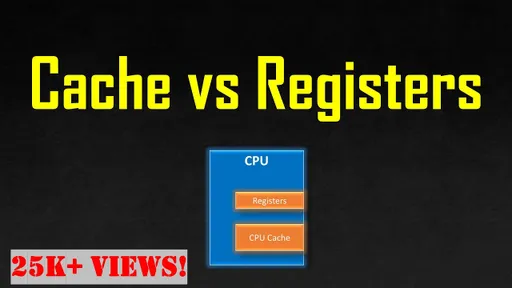
Registers
◦
Cache
◦
Holds data and programs required by the CU
◦
The processor reads data and programs kept in backing storage (HDD, SSD)
▪
It is done because backing storage is too slow
•
Clock
◦
The speed of a CPU is referred to as the clock rate
◦
Units
▪
Million cycles a second (MHz)
▪
Billion cycles a second (GHz)
•
Buses
◦
Two Types of Bus
▪
Front-side Bus
▪
Back-side Bus
◦
Each bus contians
▪
Data bus - transports data
▪
Address bus - transports address
▪
Control bus - controls when data is sent

Five Types of Processors
1.
Complex Instruction Set Computing (CISC)
•
Large in size
•
Handle large number of instructions
•
Able to handle more complex instruction set
•
Perform more intensive tasks
•
Use more power
•
Cost more to manufacture
2.
Reduced Instruction Set Computing (RISC)
•
Smaller in size
•
Handle fewer number of instructions
•
More efficient at performing simpler tasks
•
Lower clock speed
•
perform simple tasks quicker than CISC
•
Energy efficient
•
Cheaper to manufacture
3.
Application Specific Integrated Circuit (ASIC)
4.
Superscalar Processors
5.
Digital Signal Processor (DSP)
Other
1.
Cores
a.
A core contains an ALU, CU, and Registers
b.
A CPU can have dual, quad, or more cores
c.
Mulitple programs can run simultaneously if a computer if it’s multi-core computer
2.
GPU
a.
Contains hundreds of cores
b.
Image processing needs many calculations
c.
It’s only responsible for mathematic calucations
3.
Cache
a.
Refers to a small amount of memory which is a part of a CPU
b.
Refers to a small amount of memory inside CPU
c.
CU checks cache for instructions before it request data from RAM
d.
Transfers to and from cache quicker than to and from RAM
e.
Levels of Cache
i.
Level 1 (L1)
1.
Smallest & Fastest
2.
Closest to CPU
ii.
Level 2 (L2)
1.
Larger than L1
2.
Located between CPU and RAM, sometimes on the CPU with L1
iii.
Level 3 (L3)
1.
Larger than L2
2.
Located between CPU and RAM
4.
Register
a.
A temporary stroage and part of a CPU
b.
Can hold instructions, addresses, bit sequences, or characters
c.
Types
i.
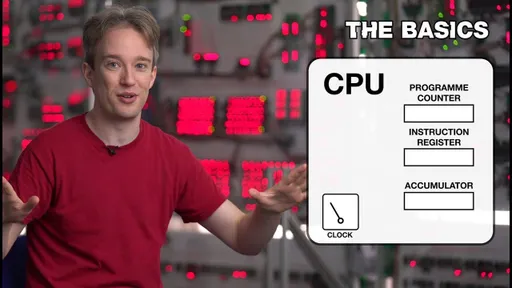
Program Counter (PC) - keeps check of the order of instructions and hold the address of the next instruction to be fetched
ii.
Instruction Register (IR) - fetches instructions from the PC and holds each instruction as it is executed by the processor
iii.
Accumulator - holds the results of processing
iv.
Memory Address Register (MAR) - holds the active address
v.
Memory Data Register (MDR) - holds the data that is fetched from or is sent to RAM
5.
Instruction Sets
a.
Instructions are decoded as sequenced operations
b.
Operation instruct the ALU and the CU
c.
Operations are made up of a set of instructions and data and opcodes and operands
d.
Opcodes perform actions on operands
e.
Opcodes inform a CPU that a task needs to be performed, such as add two numbers
f.
Operands inform what data needs to be processed
6.
Buses
a.
A bus connects a CPU to other components
b.
It moves instructions and data
c.
A bus speed is measured in MHz
d.
It sends 8, 16, 32bits at a time
e.
The system bus or front-side bus (FSV) connects a CPU to memory
f.
CPU cores share L2 and L3 cache across the FSB
g.
L2 cache is also connected via the back-side bus (BSB)
h.
The BSB is faster than the FSB
i.
Types
i.
Address bus - sends data in one direction only, from the CPU to RAM and sends an address of the location where data needs to be sent
ii.
Data bus - sends data in two directions either to memory or receives data from memory
Fetch-Execute-Decode Cycle
The Fetch-Execute-Decode Cycle
•
Software commands are executed by the fetch-execute-decode cycle
•
Program instructions are sent to RAM
•
Each instruction is then sent to the CPU
•
An instruction is decoded and processed by the CPU
•
This is performed until each instruction is executed
Fetch
•
The CPU fetches data and instructions from Ram and stores them in its registers
•
The CPU places the address of the next instruction to be fetched, on the address bus
•
Data from the address then moves from RAM into the CPU via the data bus
Decode
•
The CPU decodes the instruction that has been sent from RAM
•
The CPU has been designed
Execute
•
An instruction is executed in the CPU’s ALU
•
The result of the processing is stored in a register called the accumulator
•
Then it is stored in RAM or used in anothther CPU operation
•
Once the execution is complete, the Cpu begins another cycle