




Note
•
IAM (Identity and Access Management)
•
Assign users or groups using policies (JSON documents)
Terms
•
Users: mapped to a physical user, has a password for AWS Console
•
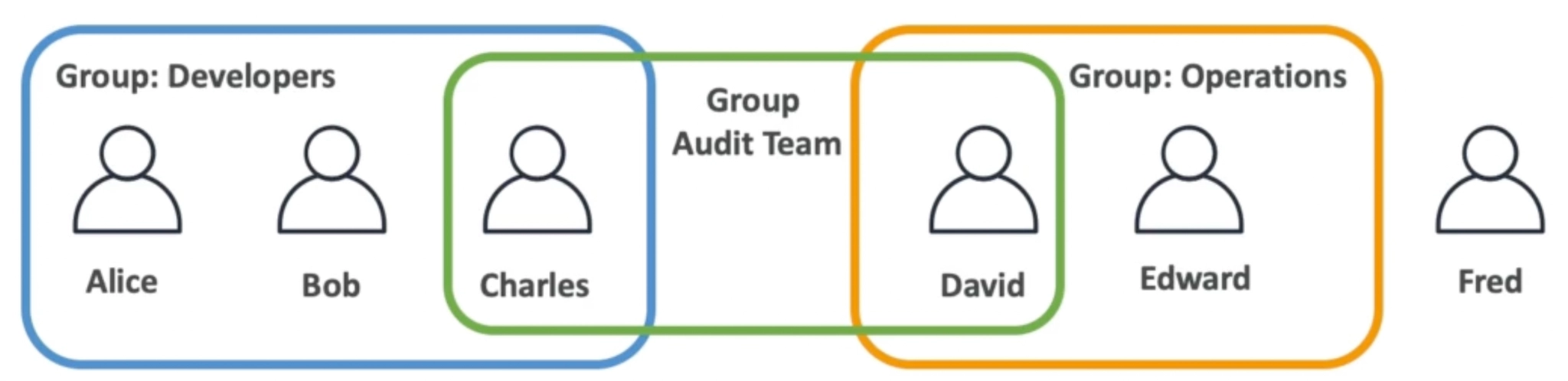
Groups: contains users only
•
Policies: JSON document that outlines permissions for users or groups
•
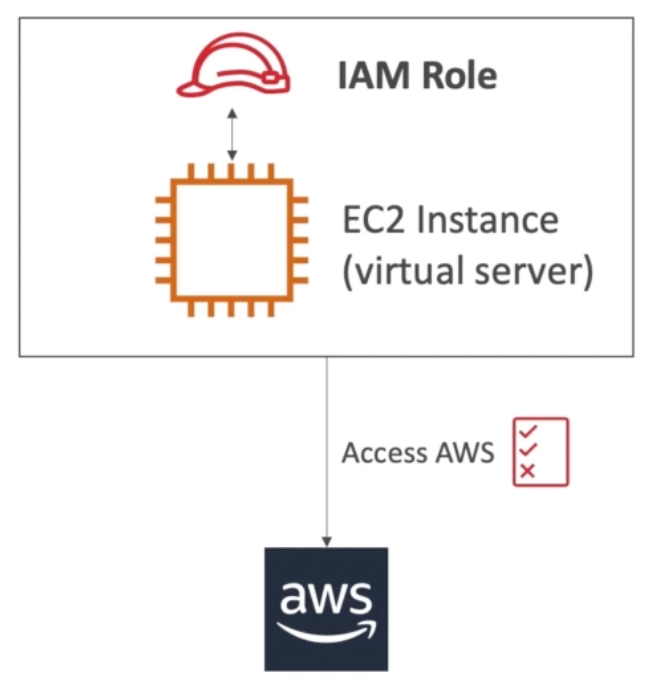
Roles: for EC2 instances or AWS services
•
Security: MFA + Password Policy
•
AWS CLI: manage your AWS services using the command-line
•
AWS SDK: manage your AWS services using a programming language
•
Access Keys: access AWS using the CLI or SDK
•
Audit: IAM Credential Reports & IAM Access Advisor
IAM: Users & Groups
•
IAM = Identity and Access Management, Global service
•
Root account created by default, shouldn’t be used or shared
•
Users are people within your organization, and can be grouped
•
Users or Groups can be assigned JSON documents called policies
IAM Policies Structure
•
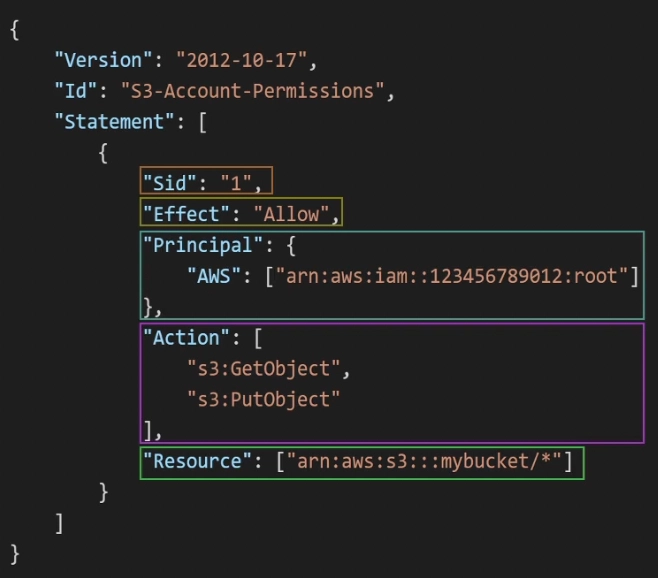
Version: policy language version
•
ID: an identifier for the policy
•
Statement: one or more individual statements (required)
◦
Sid: an identifier for the statement (optional)
◦
Effect: whether the statement allows or denies access (Allow, Deny)
◦
Principal: account/user/role to which this policy applied to
◦
Action: list of actions this policy allows or denies
◦
Resource: list of resources to which the actions applied to
IAM Roles
•
Some AWS service will need to perform actions on your behalf
•
Can assign permissions to AWS services with IAM Roles
IAM Guidelines & Best Practices
•
Don’t use the root account except for AWS account setup
•
One physical user = One AWS user
•
Assign users to groups and assign permissions to groups
•
Create a strong password policy
•
Use and enforce the use of Multi Factor Authentication (MFA)
•
Create and use Roles for giving permissions to AWS services
Shared Responsibility Model for IAM
•
AWS Responsible for …
◦
Infrastructure (global network security)
◦
Configuration and vulnerability analysis
◦
Compliance validation
•
User
◦
Users, Groups, Roles, Policies management and monitoring
◦
Enable MFA on all accounts
◦
Rotate all your keys often
◦
Use IAM tools to apply appropriate patterns & review permissions
