




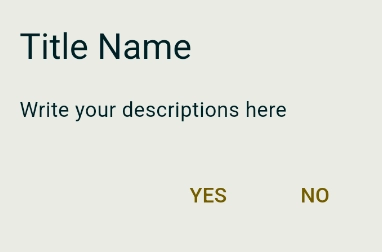
Basic
onPressed() async {
final result = await showDialog(
context: context,
builder: (BuildContext context) {
return AlertDialog(
title: Text("Title Name"),
content: Text("Write your descriptions here"),
actions: [
// yes button
TextButton(
onPressed: () {Navigator.of(context).pop(true);}, // return true when pressed
child: Text("YES"),
),
// no button
TextButton(
onPressed: () {Navigator.of(context).pop(false);}, // return false when pressed
child: Text("NO"),
),
],
);
},
);
}
Dart
복사
Example
onChoolCheckPressed() async { // must be in async to recieve the result
final result = await showDialog( // save the result in final result
// Material Style Dialog
context: context,
builder: (BuildContext context) {
return AlertDialog(
title: Text("Attendance"),
content: Text("Are you going to attend?"),
actions: [
TextButton(
onPressed: () {
Navigator.of(context).pop(true);
},
child: Text(
"YES",
style: TextStyle(color: Colors.blue),
),
),
TextButton(
onPressed: () {
Navigator.of(context).pop(false);
},
child: Text(
"NO",
style: TextStyle(color: Colors.red),
),
),
],
);
},
);
Dart
복사
