
Problem [Apply Material Theme]
One of the most challenging part of designing is choosing colors for the model. In this case, there are website called Material Theme Builder to aid this problem.
Instruction
1.
visit Material Theme Builder

2.
click Custom

3.
click Export
4.
choose Flutter (Dart) and download it

5.
Copy the file /Downloads/material-theme/color_schemes.g.dart
a.
main.g.dart is a sample demonstrating app (don’t need)

6.
Paste it under /lib/color
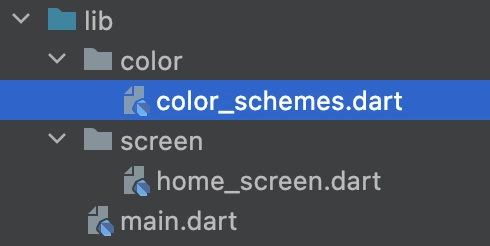
7.
import the pasted file and define it under ThemeData
import 'package:check/color/color_schemes.dart';
// import 'package:check/screen/home_screen.dart';
// import 'package:flutter/material.dart';
void main() {
runApp(
MaterialApp(
theme: ThemeData(
// useMaterial3: true,
colorScheme: lightColorScheme, // can use lightColorScheme or darkColorScheme
),
home: HomeScreen(),
), // MaterialApp
);
}
Dart
복사