FloatingActionButton(
onPressed: () {
showModalBottomSheet(
context: context,
isScrollControlled: true,
builder: (_) {
return ScheduleBottomSheet();
},
);
}
)
Dart
복사
// ScheduleBottomSheet
final bottomInset = MediaQuery.of(context).viewInsets.bottom;
return Container(
height: MediaQuery.of(context).size.height / 2 + bottomInset, //
color: Colors.white,
child: Padding(
padding: EdgeInsets.only(bottom: bottomInset),
child: Column(
children: [
Expanded(
child: TextField(
expands: true,
maxLines: null,
),
),
],
),
),
);
Dart
복사
1.
height add bottomInset (MediaQuery.of(context).viewInsets.bottom;
2.
padding add bottomInset (EdgeInsets.only(bottom: bottomInset),
3.
showModalBottomSheet add isScrollControlled: true,
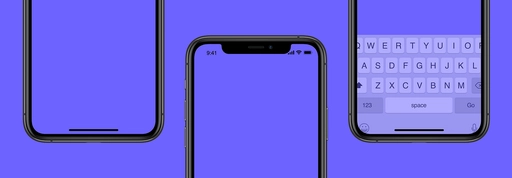
Keyboard Size
final bottomInset = MediaQuery.of(context).viewInsets.bottom;